The short version
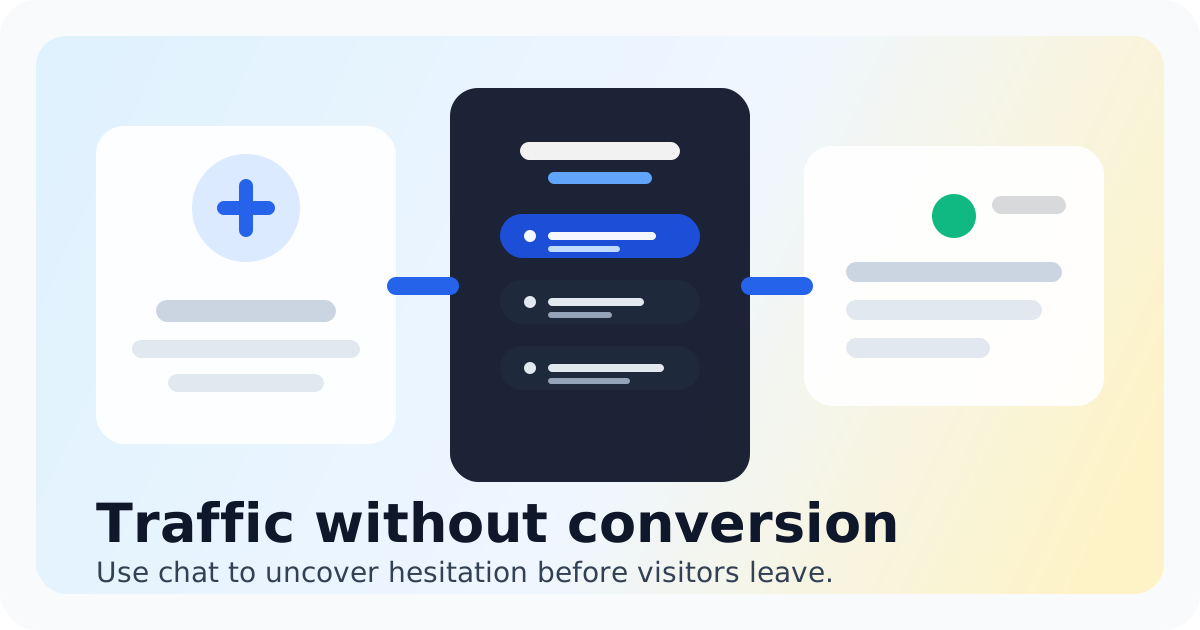
Your website is getting traffic. People land on your pricing page, browse your product, maybe even add something to their cart. And then they leave. No email. No form submission. No way to know what stopped them. Real-time chat changes that. Instead of waiting for a form to be filled out or hoping someone emails you later, you can talk to visitors while they are still on the page, still interested, still deciding. This guide walks through why real-time chat works for conversion, what to look for in a chat tool, and how to set it up without adding complexity your team cannot sustain. If you run a small team and want every visitor conversation to count, this is for you.
- Real-time chat catches visitors during the decision moment, not after they leave
- Speed matters: responding within minutes dramatically improves conversion rates
- A shared inbox keeps your whole team aligned without duplicate replies
- Visitor context lets you personalize without asking basic questions twice
- The right tool feels lightweight, not like another support system to manage
Why Real-Time Chat Converts Better Than Forms or Email
The biggest conversion leak for most small teams is not poor traffic or bad design. It is timing. A visitor has a question about pricing, fit, or functionality. They scroll through your site, do not find a clear answer, and leave. They might come back later. Most do not. Forms capture interest after the moment passes. Email creates a delay that erodes urgency. But real-time chat meets visitors exactly where they are, when they are evaluating. A quick answer at the right moment turns maybes into yeses. Chat also reduces friction. Filling out a form feels like a commitment. Typing a quick question into a chat widget feels low-stakes. That lower barrier means more people reach out, which means more chances to convert. For small teams, chat also means efficiency. One teammate can handle multiple conversations at once, unlike phone calls or video demos. You get the personal touch of real conversation without the time sink of traditional sales outreach.
The data backs this up. Businesses that add live chat typically see conversion rate improvements between 10 and 25 percent, depending on industry and implementation quality. The key variables are response speed, the quality of initial answers, and how well the chat experience matches what visitors expect on your site. Chatting is built for this exact scenario. It puts a chat widget on your website, shows who is on your site in real time, and routes conversations into a shared inbox so your team can reply fast without paying enterprise-tool prices. If you have been on the fence about adding live chat because the tools felt too complicated or expensive, this is the straightforward option you have been looking for.
What Makes Chat Actually Drive Conversions (And What to Skip)
- Response speed is the number one factor. Responding within one to three minutes of a visitor starting a chat dramatically outperforms waiting even ten minutes. If you cannot commit to fast responses, set up chat greetings that manage expectations or use after-hours automation to capture questions for follow-up the next day.
- Visitor context changes everything. Seeing which page someone is on, where they came from, and how long they have been browsing lets your team ask better questions and give more relevant answers. You do not need to ask someone what they are looking for if you can already see they are on your pricing page.
- A shared inbox prevents chaos. When multiple people on your team can see and reply to chats, nothing falls through the cracks. Ownership and follow-up become clear, and visitors never get duplicate replies from different teammates.
- Saved replies and lightweight automation save time without feeling robotic. Pre-written answers for common questions speed up response time while keeping replies personal. The goal is faster answers, not replacing human conversation with bots.
- The widget itself matters. It needs to load fast, look professional, and feel native to your site. A slow or clunky chat widget creates the opposite of the trust you are trying to build.
Bottom Line
Real-time chat is one of the highest-impact, lowest-overhead additions a small team can make to their website. It catches visitors at the moment they are most likely to convert, gives your team the context to reply with relevance, and creates a conversation record your whole team can learn from. You do not need a full support suite to make this work. You need a chat widget that loads fast, an inbox your team can actually monitor, and the discipline to reply quickly during your business hours. If that sounds like what you have been looking for, explore live chat software designed specifically for small teams that want real conversations without the enterprise complexity. If you are curious what faster conversations could mean for your numbers, plug your traffic and conversion data into a Live Chat ROI Calculator to estimate the impact before you commit. And if you are currently using a heavier tool like Intercom and feeling like you are paying for features you do not use, compare your options to see whether a simpler chat-first approach fits your workflow better.
Explore live chat software
See how Chatting handles real-time chat conversion optimization for small teams.
Explore live chat softwareRecommended next steps
Live chat software for small teams
live chat software for small teams
Live chat software for small teamsIntercom alternative
Switch to Chatting if Intercom has become more software than your live-chat workflow needs.
Intercom alternativeLive Chat ROI Calculator
Plug in your monthly visitors, current conversion rate, and average order value to estimate the impact of faster conversations.
Live Chat ROI CalculatorA website chat widget for startups and small teams
website chat for startups
A website chat widget for startups and small teamsFAQ
Does live chat actually increase conversions?
Yes. Most teams that add well-implemented live chat see conversion improvements in the 10 to 25 percent range. The biggest gains come from fast response times, relevant visitor context, and catching visitors during the decision moment rather than after they leave.
How much time does managing live chat take?
For small teams, it typically takes 15 to 30 minutes per day to handle chat conversations, assuming moderate traffic volume. The time investment is minimal compared to phone support or email, and you can spread it across team members using a shared inbox.
What if no one on my team is available to chat in real time?
That is okay. Set up chat greetings that let visitors know your availability and offer to leave a message. You can also use automated replies to capture questions outside business hours so you can follow up the next day. The key is not ignoring people, even when you cannot reply instantly.
Can I use live chat on multiple websites?
Yes, if you manage multiple properties. Chatting lets you add chat widgets to different sites while routing all conversations into one inbox, keeping everything organized regardless of how many sites you manage.
Is live chat only for sales, or should I use it for support too?
Live chat works for both, and many small teams use it for both without separating the workflows. The same quick-answer approach that converts visitors also solves support questions fast. Just make sure your team knows how to prioritize urgent issues.
Do I need AI or chatbots to make live chat work?
No. For most small teams, human-first chat delivers better results than basic chatbots. AI can help with triaging or suggested replies, but the conversion power comes from real conversations where visitors feel heard. Start with people-powered chat and add automation only if it genuinely helps your workflow.
How is Chatting different from Intercom or Zendesk?
Chatting is built specifically for small teams that want live chat and a shared inbox without the extra layers, higher costs, and complexity that come with larger support platforms. If you mainly need to talk to website visitors in real time and manage those conversations in one place, Chatting gives you that without the enterprise baggage.