The short version
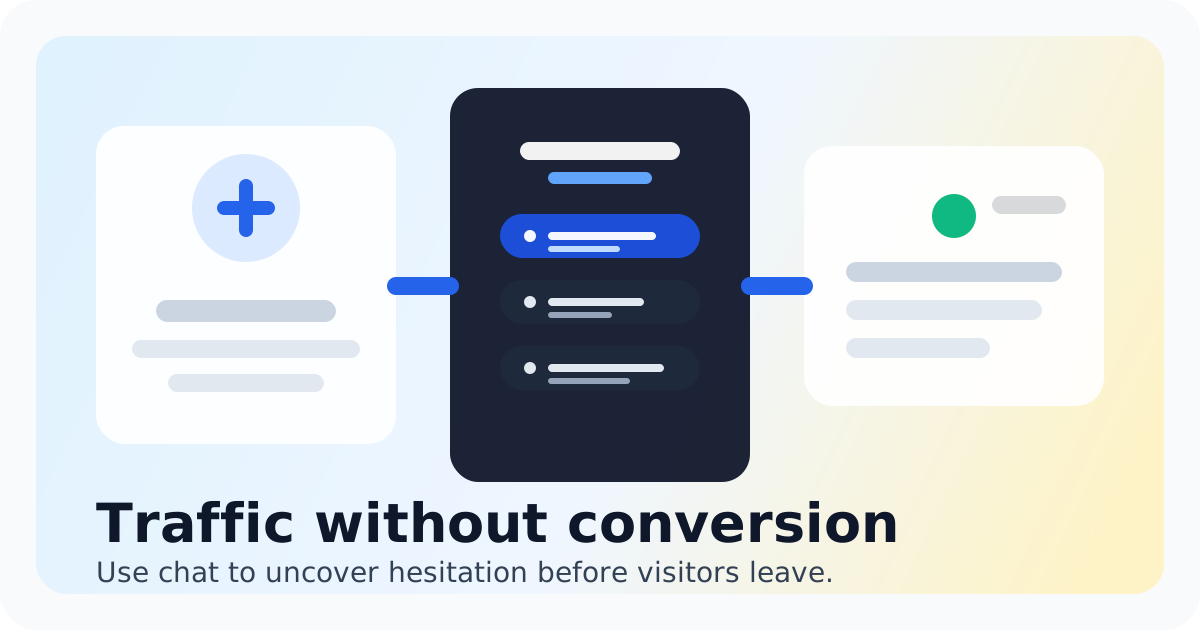
Your pricing page is where deals go to die. A visitor lands there, scans the numbers, and bounces. No conversation. No context. No chance to address their hesitation. Most teams treat pricing pages as static brochureware, but that's a massive missed opportunity. Live chat changes the equation. When someone lands on your pricing page, they are actively evaluating whether your product fits their budget and needs. That's the exact moment they are most open to a conversation. Instead of watching them leave, you can engage them in real time, answer their questions, and remove the friction that was holding them back. Chatting is live chat built for small teams. It puts a chat widget on your website, shows who is on your site in real time, and routes conversations into a shared inbox so your team can reply fast without paying enterprise-tool prices. This playbook walks through exactly how to set up live chat on your pricing page, what scripts work, and how to measure the results. If you are a founder or small team member responsible for conversions, this is the guide you need. The math is simple. Every visitor who bounces from your pricing page is a missed chance to explain value, address concerns, or guide them toward a plan that fits. Live chat gives you that chance while the decision is still fresh.
- Live chat on pricing pages catches visitors when they are actively evaluating your product
- Target high-intent visitors with page context and trigger-based messages
- Use the shared inbox to keep every team member aligned on pricing conversations
- Start with simple scripts and refine based on actual visitor questions
- Track conversation-to-conversion rate to measure real impact
Why Your Pricing Page Needs Live Chat Now
The pricing page is the highest-intent page on most SaaS websites. Visitors who reach pricing have moved past curiosity. They are comparing options, calculating ROI, and deciding whether to commit. This is the moment that defines whether your marketing funnel converts or leaks. Forms cannot handle this moment. A contact form requires a visitor to stop what they are doing, fill out fields, and wait for a response that may never come. By the time you reply, they have already made a decision or moved on. Email is too slow for someone who is actively weighing options right now. Live chat solves this because it meets visitors where they are. They can ask a quick question without leaving the page, get an answer in seconds, and make a decision while the conversation is still top of mind. No switching contexts. No waiting. Just real-time clarity. The competitive advantage is significant. Most of your competitors have static pricing pages with no way to engage. When you add live chat, you immediately stand out as more accessible and customer-focused. You are not just showing prices. You are showing that you are willing to have a conversation about value. That alone builds trust before the first purchase. Small teams often hesitate because they worry about the workload. Chatting addresses this with a shared inbox that lets your whole team handle conversations from one place. No need for a dedicated support agent. When someone asks about pricing, whoever is available can jump in, see the conversation history, and respond. It keeps your team lean while still capturing every opportunity. The key is targeting the right visitors. Chatting shows you who is on your site in real time, so you can see exactly when someone lands on your pricing page. You know they are in evaluation mode. That context lets you time your outreach perfectly.
How to Set Up Pricing Page Chat That Converts
- Place the chat widget prominently on your pricing page but keep it non-intrusive. The default Chatting widget matches your brand and sits in the corner where it is visible without blocking content.
- Set up a trigger that fires when a visitor spends more than 30 seconds on pricing. That time threshold signals genuine interest, not casual browsing.
- Open with a specific question rather than a generic greeting. Try something like "Hey, I noticed you are looking at our Team plan. Do you have questions about what's included?" This shows you know where they are in the decision process.
- Use saved replies for common pricing questions. When someone asks about the difference between plans, your team can pull a pre-written answer that covers the key points without typing from scratch every time.
- Route pricing conversations to a shared inbox tag so your team can prioritize them. Every conversation on the pricing page is a high-intent lead worth responding to quickly.
- Add context to every conversation. Chatting shows you what page the visitor is on and how long they have been there. Use that context in your responses. If someone is viewing the Enterprise plan, acknowledge that directly.
- Set up a quick automated message for after hours. If your team is offline, let visitors know when you will be back and what to expect. This keeps the conversation open even when no one is live.
- Track the metrics that matter. Look at conversation volume on pricing, response time, and most importantly, how many conversations lead to a conversion. That is your real ROI measurement.
Bottom Line
Live chat on your pricing page is not an extra feature. It is a conversion lever that most of your competitors are ignoring. When a visitor lands on pricing, they are telling you they are ready to make a decision. Your job is to be there when that moment happens. Chatting gives small teams exactly what they need for this. A clean widget, real-time visitor context, a shared inbox your whole team can use, and pricing that makes sense for lean operations. You are not paying for enterprise complexity. You are paying for the ability to have real conversations at the moment they matter most. Start simple. Get the widget on your pricing page, set a basic trigger, and start talking to visitors. You will learn what questions matter most to your audience, and you will start converting visitors who would have bounced. That is the playbook in action. If you are ready to see what live chat can do for your pricing page conversions, get started with Chatting free and put these tactics to work.
Start chatting free
See how Chatting handles pricing page live chat for small teams.
Start chatting freeRecommended next steps
Live chat software for small teams
live chat software for small teams
Live chat software for small teamsIntercom alternative
Switch to Chatting if Intercom has become more software than your live-chat workflow needs.
Intercom alternativeLive Chat ROI Calculator
Plug in your monthly visitors, current conversion rate, and average order value to estimate the impact of faster conversations.
Live Chat ROI CalculatorA website chat widget for startups and small teams
website chat for startups
A website chat widget for startups and small teamsFAQ
Does live chat actually increase conversions on pricing pages?
Yes. Live chat catches visitors in the moment of decision-making. When someone can ask a quick question and get an immediate answer, they are far more likely to move forward than if they have to figure it out alone or wait for an email reply. The key is responding quickly and answering the specific question they asked.
How many conversations should I expect on my pricing page?
It depends on your traffic and how prominently you promote the chat widget. Small teams typically see conversations start within the first few days of adding live chat. The volume grows as visitors discover they can get quick answers. Even a few conversations per week on pricing can lead to measurable conversions.
Do I need someone monitoring chat all the time?
No. Chatting includes a shared inbox that your team can check periodically. You do not need 24/7 coverage. Set up an automated message for off-hours so visitors know when you will respond. Many small teams check the inbox a few times per day and still capture high-value conversations.
Can I use live chat on other pages too?
Absolutely. Once you have Chatting set up, you can add the widget to any page on your site. The pricing page is the highest priority, but product pages, comparison pages, and homepage can all benefit from having chat available. Chatting makes it easy to customize triggers and messages for different pages.
What if I do not have a dedicated support team?
That is the whole point of Chatting for small teams. Your whole team can use the shared inbox. When a pricing question comes in, whoever is available can answer. No need for a dedicated support person. You are not building a support operation. You are having conversations that convert.