The short version
Your SaaS trial is live. Visitors are signing up. But two out of three never come back after the first session. They're not leaving because your product is bad. They're leaving because they hit a question nobody answered. That's the gap live chat fills. When a trial user lands on your pricing page at 2 a.m. and wonders whether your tool integrates with their stack, a quick chat answer keeps them moving forward. A delayed answer, or no answer at all, loses the sale. Chatting puts a chat widget on your site that shows you who's browsing in real time. Your team replies from a shared inbox without switching tools. It costs less than enterprise chat platforms, and it actually fits the workflow of a small sales or support team that needs to move fast. This guide covers why live chat matters for SaaS trial conversions, what to look for in chat software, and how to set up conversations that turn trial visitors into paying customers.
- Trial visitors leave when their questions go unanswered, live chat catches them in the moment
- Real-time visitor context lets your team reply with relevant answers, not generic responses
- Shared inbox keeps your whole team aligned on trial conversations without switching tools
- Chatting is built for small teams that need live chat without enterprise pricing or bloated features
- Start with saved replies for common trial questions and automatic greetings on high-intent pages
Why SaaS Trials Lose Visitors Without Live Chat
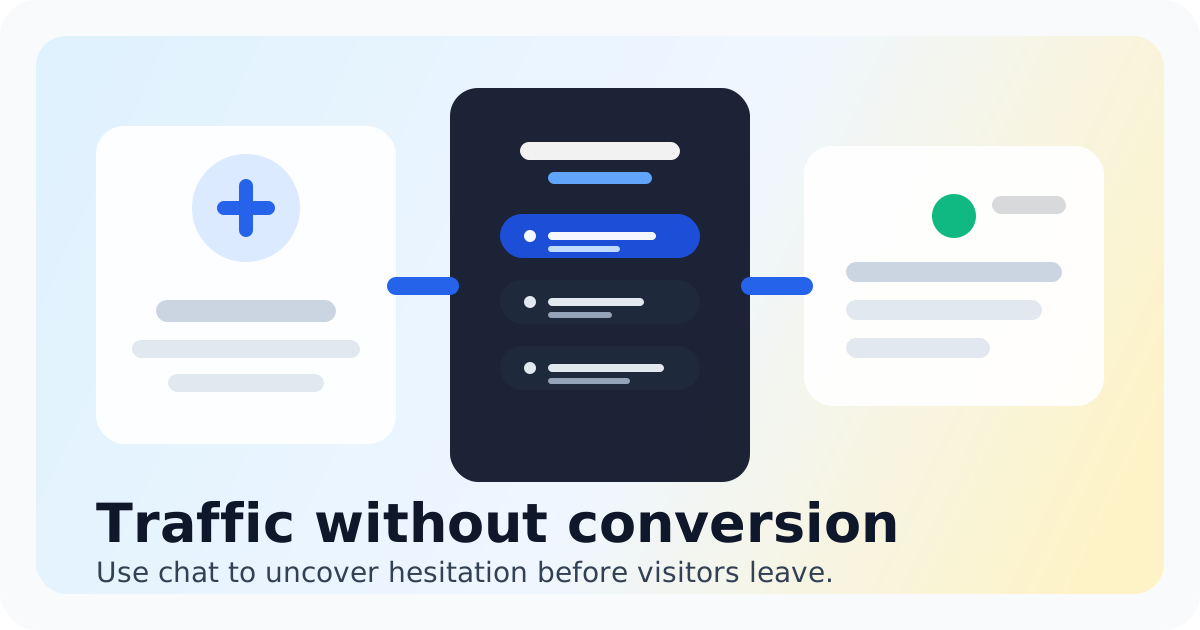
Every SaaS founder has seen this pattern. A visitor signs up for a trial. They explore for ten minutes. Then they disappear. No follow-up. No conversation. No chance to answer the question that stopped them.
The problem isn't always the product. It's the gap between what the trial user needs to know and what they can figure out on their own. Pricing uncertainties. Feature questions. Integration concerns. Setup time estimates. These are questions a quick conversation solves in seconds, but without chat, the visitor is stuck waiting for an email that might come tomorrow, or never.
Live chat closes that gap. It catches visitors while they're still on your site, still interested, still in the decision window. You're not relying on them to find answers in documentation or send an email and hope for a response. You're there, in the moment, when the question is fresh.
Beyond speed, there's context. Chatting shows you what pages a visitor is viewing before they even start a conversation. You see they're on the pricing page, or the integrations section, or the trial signup flow. That context lets your team tailor the response instantly, no need to ask 'what are you looking for?' because you already know.
What Your SaaS Trial Live Chat Setup Needs
- Real-time visitor visibility so your team sees who's on the site and what they're viewing before conversations start
- Shared inbox so multiple team members can see active chats, avoid duplicate replies, and hand off conversations smoothly
- Saved replies for common trial questions so your team answers faster without typing the same response every time
- Lightweight automation like automatic greetings based on page context or time on site, these feel personal without requiring manual setup
- Easy widget customization to match your brand, because a chat window that looks third-party breaks trust at the moment that matters most
- Simple pricing that doesn't charge per seat or require an enterprise plan, because you need the whole team covered, not just one support rep
- Mobile access so your team can reply from anywhere, trial questions don't only come during business hours
Bottom Line
Live chat for SaaS trials isn't about adding another tool to your stack. It's about removing the friction between a visitor's question and their next step. When someone on your trial pricing page can ask 'does this integrate with HubSpot?' and get an answer in thirty seconds, the conversion path gets dramatically shorter.
Chatting is built for teams that want this capability without the enterprise price tag or the feature bloat. It gives you the widget, the real-time visitor context, the shared inbox, and the speed, without requiring a dedicated support team or a six-month onboarding process. You install it, your team replies, your trial conversations convert.
If you've been watching trial visitors drop off without knowing why, this is the signal you're missing. They're not bouncing because your product doesn't fit. They're bouncing because nobody answered the question that would have told them it does.
Try the Live Chat ROI Calculator to estimate what faster trial conversations could mean for your pipeline. Plug in your monthly trial signups, current conversion rate, and average customer value, and see the potential impact of catching these conversations in real time.
See live chat for SaaS
See how Chatting handles live chat saas trial support conversion for small teams.
See live chat for SaaSRecommended next steps
Live chat for SaaS teams that want buyer conversations sooner
simple live chat software
Live chat for SaaS teams that want buyer conversations soonerIntercom alternative
Switch to Chatting if Intercom has become more software than your live-chat workflow needs.
Intercom alternativeLive Chat ROI Calculator
Plug in your monthly visitors, current conversion rate, and average order value to estimate the impact of faster conversations.
Live Chat ROI CalculatorA website chat widget for startups and small teams
website chat for startups
A website chat widget for startups and small teamsFAQ
When is the best time to add live chat to a SaaS trial page?
Add it as soon as your trial is public and getting traffic. Even a small amount of trial traffic means conversations you're currently missing. The widget takes minutes to install, and you can adjust triggers and greetings later as you learn what your trial visitors need most.
Can live chat work for SaaS trials with minimal team bandwidth?
Yes, if you set it up right. Use saved replies for the five most common trial questions. Add an automatic greeting on high-intent pages like pricing or feature comparisons. Set expectations with a clear 'we reply fast' indicator. You don't need dedicated coverage, you need smart defaults that handle the first interaction andEscalate when needed.
How is Chatting different from Intercom for SaaS trial support?
Intercom packs in a lot, marketing automation, product tours, a full help desk. If you mainly need a chat widget and a shared inbox to answer trial questions, that's more software than the job requires. Chatting focuses on the live chat workflow: visitor context, fast replies, shared inbox, and nothing you don't need. Compare Chatting vs Intercom if you're weighing the tradeoffs.
Does live chat on a trial page increase support volume?
It shifts the volume from email to real-time chat, which is faster to resolve. Most trial questions are quick, pricing, features, integrations. Chat handles these in minutes instead of hours-long email threads. You're not creating demand; you're capturing conversations that were already happening in their heads as they considered leaving.
What's the minimum live chat setup for an early-stage SaaS?
You need the widget on your site, at least one team member with access to the inbox, and two or three saved replies for common questions. That's it. Chatting gives you all three without setup complexity. Add visitor tracking to see page context, and you're already ahead of teams relying on generic contact forms.