The short version
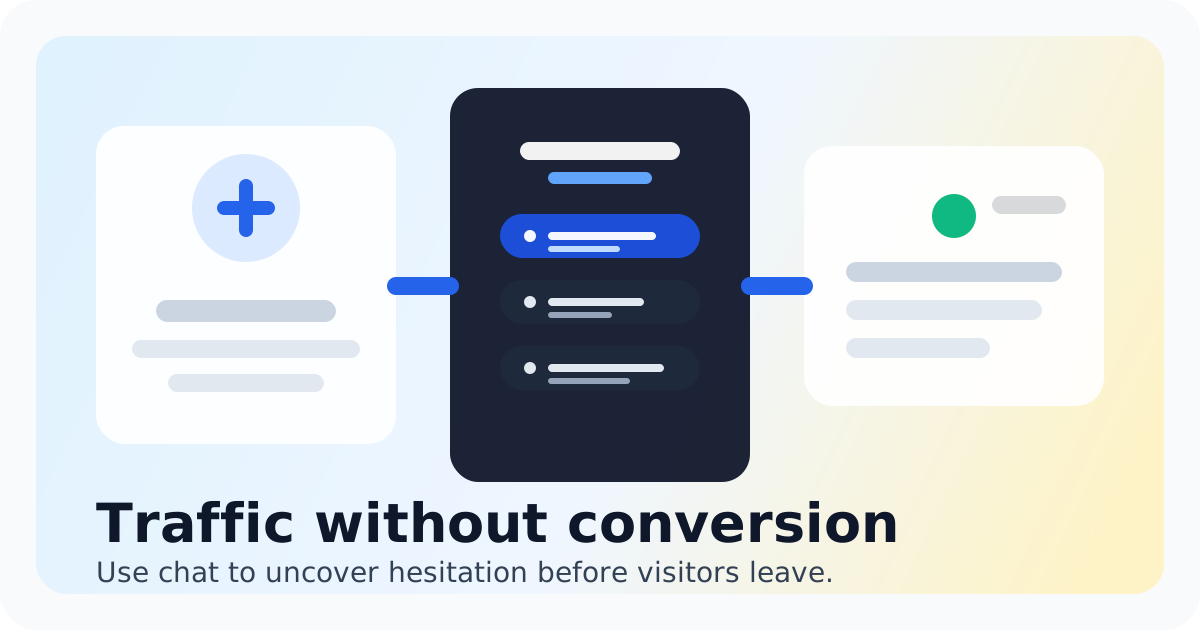
Every visitor who lands on your site and leaves without saying a word is a missed opportunity. They clicked through from an ad, searched for a solution, or clicked a link in an email. They found you. And then they bounced because nobody answered their question in real time. Live chat changes this equation. It gives you a way to start a conversation the moment a visitor shows intent, and it lets you qualify that lead before they lose interest. But most small teams don't have a dedicated sales team sitting on live chat all day. They need a process that works with limited bandwidth, clear questions that separate serious buyers from curious browsers, and a tool that makes it easy to manage conversations without enterprise complexity. This guide walks through exactly how to set up lead qualification in live chat, what questions to ask, how to route conversations to the right teammate, and which mistakes to avoid. If you're looking for a live chat tool built specifically for small teams that want to talk to high-intent visitors without paying Intercom or Zendesk prices, Chatting fits that gap directly. It gives you a chat widget, visitor context, a shared inbox, and the ability to reply fast from one place.
- Ask qualification questions within the first few messages to separate ready-to-buy visitors from those who need more information
- Use saved replies to speed up responses while keeping answers consistent and human
- Route conversations based on visitor context like page visited, industry, or company size
- Avoid asking too many questions upfront or making visitors feel like they are being interrogated
- Track reply speed and conversation outcomes to continuously improve your qualification process
Why Live Chat Qualification Works Better Than Forms
Lead qualification in live chat works better than web forms for one simple reason: timing. A visitor who fills out a contact form is telling you they are interested, but they did that action minutes or hours after arriving on your site. They may have already talked to a competitor, decided your pricing is too high, or forgotten why they wanted to reach out in the first place.
Live chat catches visitors while they are still on your site, still comparing options, and still in research mode. They have a specific question or a specific pain point, and they want an answer now. When you respond in real time, you control the conversation at the moment of highest intent.
Forms also suffer from a quality problem. Someone might fill out a contact form with a fake email, an incomplete company name, or a vague message that your team has to chase down. Live chat lets you verify information immediately. If someone says they are interested in an enterprise plan but your product starts at a much lower price point, you find that out in the first exchange instead of wasting time on a mismatch later.
Beyond speed and accuracy, live chat gives you context you never get from forms. You can see what page the visitor is on, how long they have been on that page, and what they clicked before starting the chat. This tells you whether they are pricing out a specific feature, evaluating a particular product page, or just browsing. That context shapes how you qualify them and what you lead with in the conversation.
Small teams often hesitate to add live chat because they worry about staffing it constantly. But you don't need 24/7 coverage to qualify leads effectively. You need a smart setup with automation that captures visitor information when you are offline, clear qualification questions your team can answer quickly, and a shared inbox that makes it easy for whoever is available to jump into the conversation.
The Qualification Questions That Actually Work
- Start with a warm greeting and an open question. Something like 'Hi there! Happy to answer any questions about [your product or service]. What brings you here today?' This opens the door without demanding information upfront.
- Once they respond, ask about their timeline. 'Are you looking to make a decision soon, or are you still in the research phase?' This tells you whether they are ready to buy now or whether you should nurture them differently.
- Ask about their specific need or challenge. 'What problem are you trying to solve?' or 'What features are you evaluating?' This helps you understand whether your product is a fit and lets you tailor your response to their actual situation.
- Include a qualification question about company size, team count, or budget range if that is relevant to what you sell. 'How big is your team?' or 'Are you evaluating solutions for a specific budget?' gives you the data you need to route them to the right offer.
- End the qualification exchange with a clear next step. If they are ready to talk, offer a demo or a call. If they are earlier in the process, share a resource, add them to a nurture sequence, or let them know you are there when they are ready.
Qualifying Leads in Live Chat Comes Down to Speed, Context, and Process
Live chat is the closest thing small teams have to a salesperson standing in front of every website visitor. It lets you intercept high-intent visitors at the moment they are making a decision, ask the right questions to separate serious buyers from browsers, and route those conversations to the right teammate without delay.
The key is not having a perfect script. It is having a clear process that your team can follow, a tool that gives you visitor context so every reply feels informed, and saved replies that speed up responses without making them sound robotic. If you are using a bloated support tool that makes live chat feel like a chore, it is worth looking at something built specifically for small teams who need a chat widget, a shared inbox, and nothing more.
If you are comparing options, Chatting is built for exactly this use case. It puts a chat widget on your site, shows you who is browsing in real time, and routes conversations into one shared inbox your team can manage without enterprise pricing. You get the visitor context you need to qualify leads effectively, the speed to reply while interest is still high, and a simple setup that does not require a dedicated customer success team to manage.
Start small. Add live chat to your highest-intent pages like pricing, product comparison, or demo request pages. Set up a simple qualification flow with two or three questions. Track how many conversations turn into qualified leads, and adjust from there. The process gets better with every conversation, and the results compound over time.
Read the guides
See how Chatting handles qualify leads in live chat for small teams.
Read the guidesFAQ
How many questions should I ask when qualifying a lead in live chat?
Aim for three to four questions total. Start with an open question about what brought them to your site, then ask about timeline, specific need, and one qualification detail like team size or budget. Anything more than four questions and visitors start to feel like they are filling out a form instead of having a conversation.
Should I use chatbots to qualify leads or have real people do it?
For small teams, a hybrid approach works best. Use automation to capture visitor information and ask the first question, but have a real person take over for the qualification conversation. Visitors can tell the difference, and a human response builds trust faster than a chatbot flow. If you are considering a Tidio alternative because you want real people answering real-time website questions with less setup, Chatting is designed for exactly that.
What if I miss a conversation when I am not online?
Your live chat tool should capture visitor messages when you are offline and notify you through email or another channel so you can follow up quickly. Look for a tool that includes after-hours message capture, so no lead falls through the cracks even when your team is not at their desks.
How do I know if my qualification process is working?
Track two main metrics: conversation-to-qualified-lead ratio and response time. If most conversations are not turning into qualified leads, your questions may be too vague or your timing may be off. If your response time is slow, add saved replies or consider adding another team member to your chat rotation. Chatting includes visitor context and shared inbox features that make it easy to track these metrics without complex setup.
Can I qualify leads on mobile or do I need to be at a desk?
Most modern live chat tools work on mobile, but qualification conversations are easier to manage from a desktop where you can see visitor context, previous messages, and saved replies all at once. That said, having mobile notifications so you can jump in when you are away from your desk is essential for small teams.
What pages should I prioritize for live chat lead qualification?
Focus on pages where visitors are closest to making a decision: pricing pages, product comparison pages, feature pages, demo request pages, and checkout or signup pages. These are the moments when a real-time conversation can tip the scale. A website chat widget for startups and small teams works well on these high-intent pages because it is lightweight and fast to set up.
Recommended next steps
Live chat software for small teams
live chat software for small teams
Live chat software for small teamsIntercom alternative
Switch to Chatting if Intercom has become more software than your live-chat workflow needs.
Intercom alternativeLive Chat ROI Calculator
Plug in your monthly visitors, current conversion rate, and average order value to estimate the impact of faster conversations.
Live Chat ROI CalculatorA website chat widget for startups and small teams
website chat for startups
A website chat widget for startups and small teams